Manage integrations
For admins: which integrations are allowed, who may connect and what STEREO may do per action.
Under Settings › Integrations you decide what your company may connect and what STEREO may do with it. Every change is recorded in the audit log.
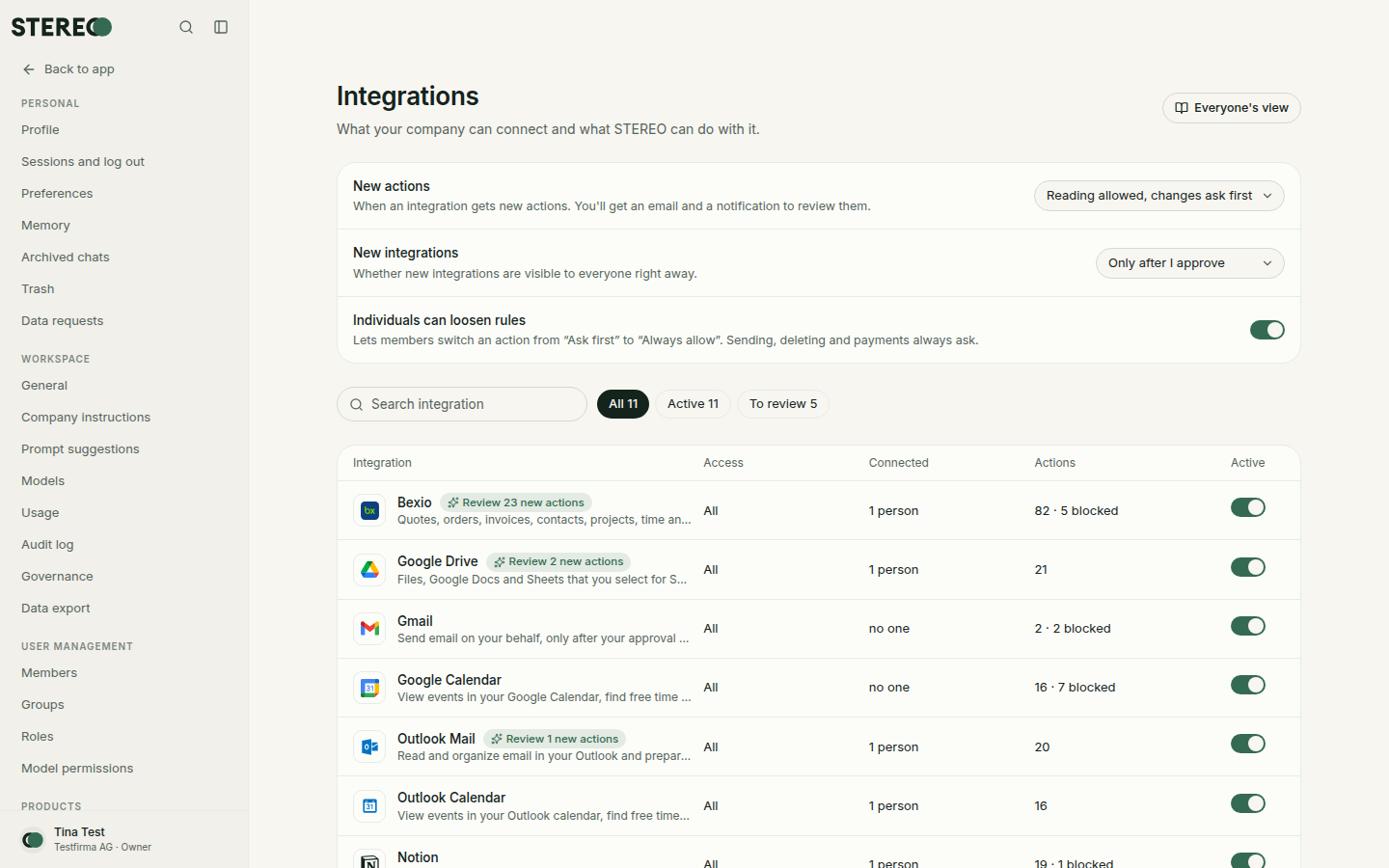
Turn an integration on for the company
The list shows for each integration who it applies to (everyone or certain groups), how many people are connected and how many actions are blocked. The Active switch turns an integration on or off for the company.
Who may connect?
Choose the Connection policy per integration. Admins always connect directly.
- Domain-restricted (recommended): members connect themselves, but only accounts of your domain, for example firma.ch.
- Admin approval: members may connect any account, each new connection waits for your approval.
- Locked: only admins set up connections.
Waiting connections appear under Connections waiting for approval. Click Approve or Decline.
Rights per action
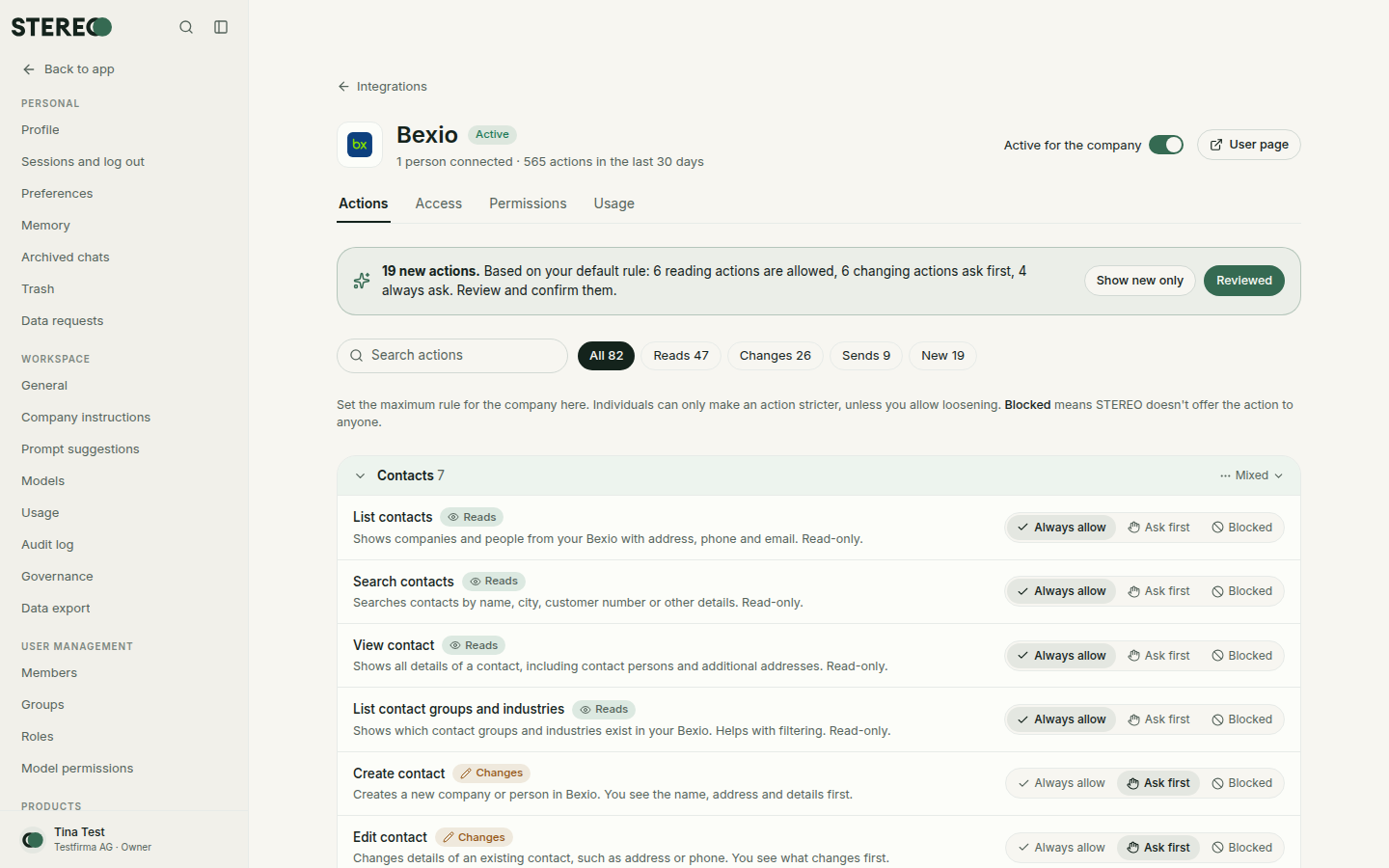
In the Actions tab you set every action of an integration:
- Always allow: STEREO does it without asking.
- Ask first: the person sees a card and decides.
- Blocked: STEREO offers the action to no one.
This is the upper limit for the company. People can only make an action stricter. Sending, deleting and payments always ask, even with "Always allow". Set all actions in … sets a whole group of actions at once.
Basic rules
- New actions: when an integration gets new actions, you receive an email and a notice to review them. Choose how new actions start: "Reading allowed, changes ask first", "All ask first" or "Blocked until reviewed".
- New integrations: "Only after I approve" or "Right away for everyone".
- Individuals can loosen rules: lets members switch an action from "Ask first" to "Always allow".
- Allowed account domains: apply to all domain-restricted integrations without their own list. Empty means the owner's domain.
Usage
The Usage tab shows how often an integration was used in the last 30 days and how many people are connected.
Approve Microsoft 365 for the whole company
If Microsoft requires admin approval, your IT approves STEREO once, see All integrations.
Was this helpful?