Web search
Current answers from the web, with sources you can check.
How it works
When a question needs current information, STEREO searches the web on its own, for example for prices, changes in the law, opening hours or news. You then see "Searching the web". Switch web search on or off per chat in the + menu.
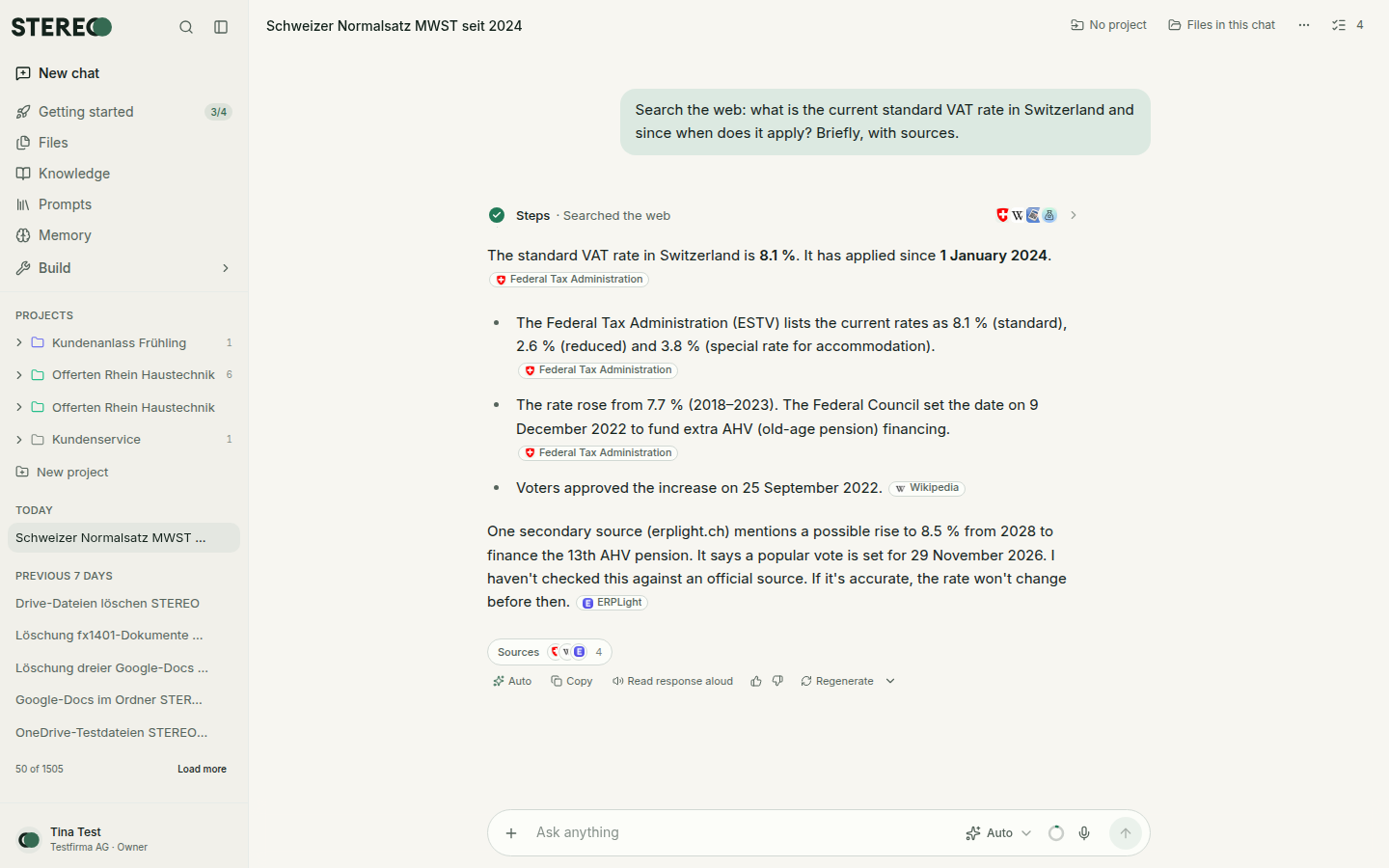
Check the sources
- Small source markers in the text show where a statement comes from. A click opens the original page.
- At the end of the answer, one line sums up all sources. A click opens the full list.
Always check important facts at the source, especially figures, deadlines and legal questions.
Ask for a specific search
- Say "Search the web for …" if STEREO should definitely search.
- Name a page: "Read https://… and summarise it."
- Narrow it down: "only Swiss sources" or "only from admin.ch".
What is sent to the search
Only a short search query that STEREO derives from your question goes to the search service, not your whole chat. Admins can switch web search off or choose the search provider under Settings › General. If there are several, choose yours under Settings › Preferences › My search provider.
Was this helpful?