Memory and past chats
What STEREO remembers, how it uses past chats and how you control both.
Memory: what STEREO remembers
Under Memory in the sidebar you see what STEREO knows about you and your work, for example "Andrea works in accounting" or "Quotes always with 30 days payment terms".
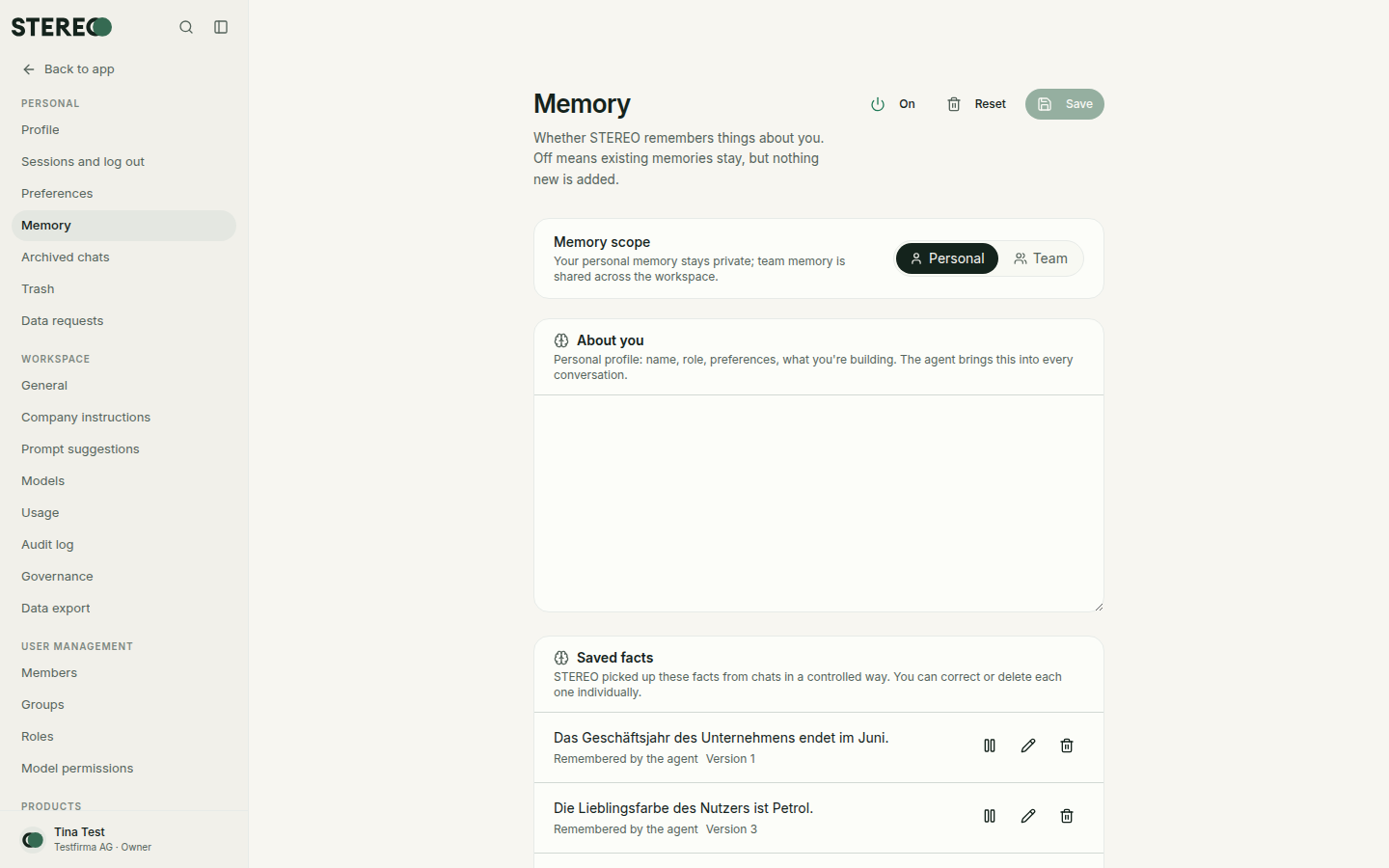
- Personal: only for you. Under About you you write what STEREO should know. Saved facts shows what STEREO took from conversations. You can edit, pause or delete each fact.
- Team: facts for everyone in the workspace. Admins maintain them, everyone else can read them.
- Remember something new: say "Remember that …" in the chat. If the text comes word for word from an email, a file or a connected app, STEREO asks first with a card, see Approvals.
- Switch off: the On switch at the top turns memory off. Nothing new is added, existing entries stay stored.
Past chats
STEREO can look into your past chats when it helps with your question, for example "What did we discuss about the Meier quote last week?". It only finds your own chats, never chats of other people.
Switch this on or off together with memory in the chat's + menu (tool Memory). Set the default for new chats under Settings › Preferences › Tools.
In a project with separate memory, everything stays inside the project, see Projects.
Forget and delete
STEREO cannot forget something from within the chat. If you ask, it shows you how:
- Open Memory and delete the entry under Saved facts. It is gone immediately.
- If you also wrote it in a chat, delete that chat too. Otherwise STEREO may find it again in past chats.
To change something, say for example "Remember: quotes are now valid for 45 days" and delete the old entry under Memory. Deadlines and details are under Privacy and security.
Personalization
Under Settings › Preferences › Personalization you tell STEREO how to work with you: what to call you, what you do and what you prefer in answers. This is also where you decide whether STEREO addresses you formally or informally, for example with "Address me formally". The Active switch pauses everything at once. Admins can also add Company instructions for everyone.
Preferences
Under Settings › Preferences you set appearance, language, time zone, default model, tools, search provider and read-aloud voice. You also find your Remembered approvals there, see Integrations.
Was this helpful?