Projects
Keep chats, instructions and sources for one topic together.
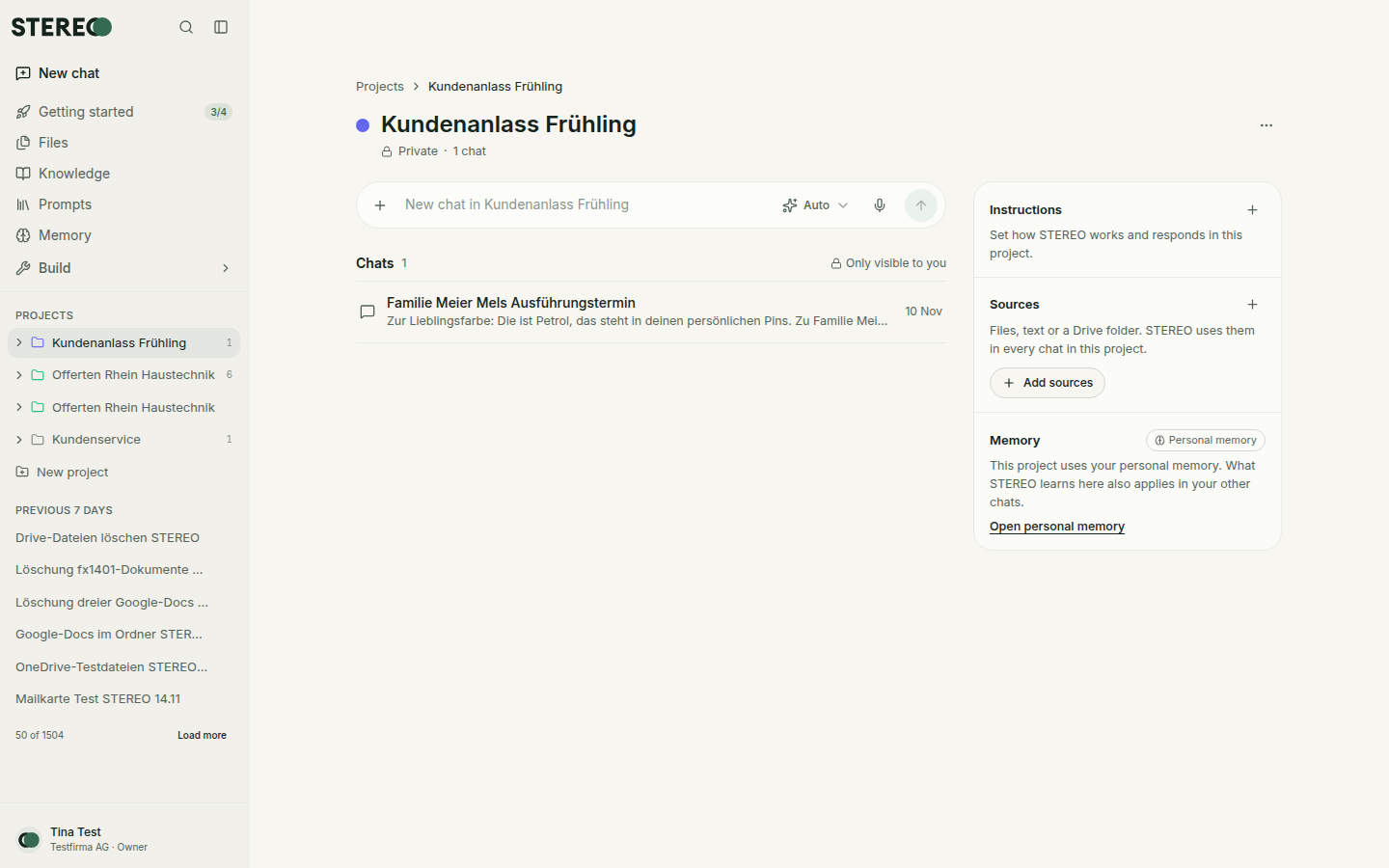
A project collects everything about one topic, for example a customer, a quote or a construction job. In every chat of the project, STEREO automatically uses its instructions and sources.
Create a project
- In the sidebar under Projects, click New project.
- Enter a name, for example "Quotes 2026".
- Choose who sees the project:
- Private: only you.
- For the company: everyone in the company sees instructions and sources. Chats stay private.
- Choose the Memory (cannot be changed later):
- Separate memory: what STEREO learns in the project stays there. Your personal memory is neither used nor added to.
- Personal memory: STEREO uses and adds to it as in other chats.
- Click Create.
Instructions
Under Instructions you define how STEREO works in the project, for example "Quotes always with 30 days payment terms". They apply to all chats in the project, in addition to your personal instructions. In company projects, the person who created the project and admins can change them.
Sources
Use Add sources to give the project documents:
- Upload: PDF, Word, Excel or text, up to 15 MB per file.
- Paste text: for example company details and rates.
- From Library: files from your Files.
- Google Drive, OneDrive or SharePoint: a file or a whole folder by link. With Include new and changed files, STEREO keeps the sources up to date. STEREO only reads the folder, changes nothing there and does not include subfolders.
The percentage next to the sources shows how much space is used. Remove a source via its menu. The original in Drive or in your files is kept.
Chats in a project
- New chat: type directly into the input field on the project page.
- Move an existing chat: via Project in the chat header or via the chat menu in the sidebar.
Chats in a project are visible only to you, even in company projects.
Edit or delete a project
The Project menu lets you change name, description and colour or delete the project. Deleting removes instructions, sources and project memory. The chats are kept, only the assignment is removed.
Was this helpful?