Skills
Teach STEREO how you and your company work, and use skills in the chat.
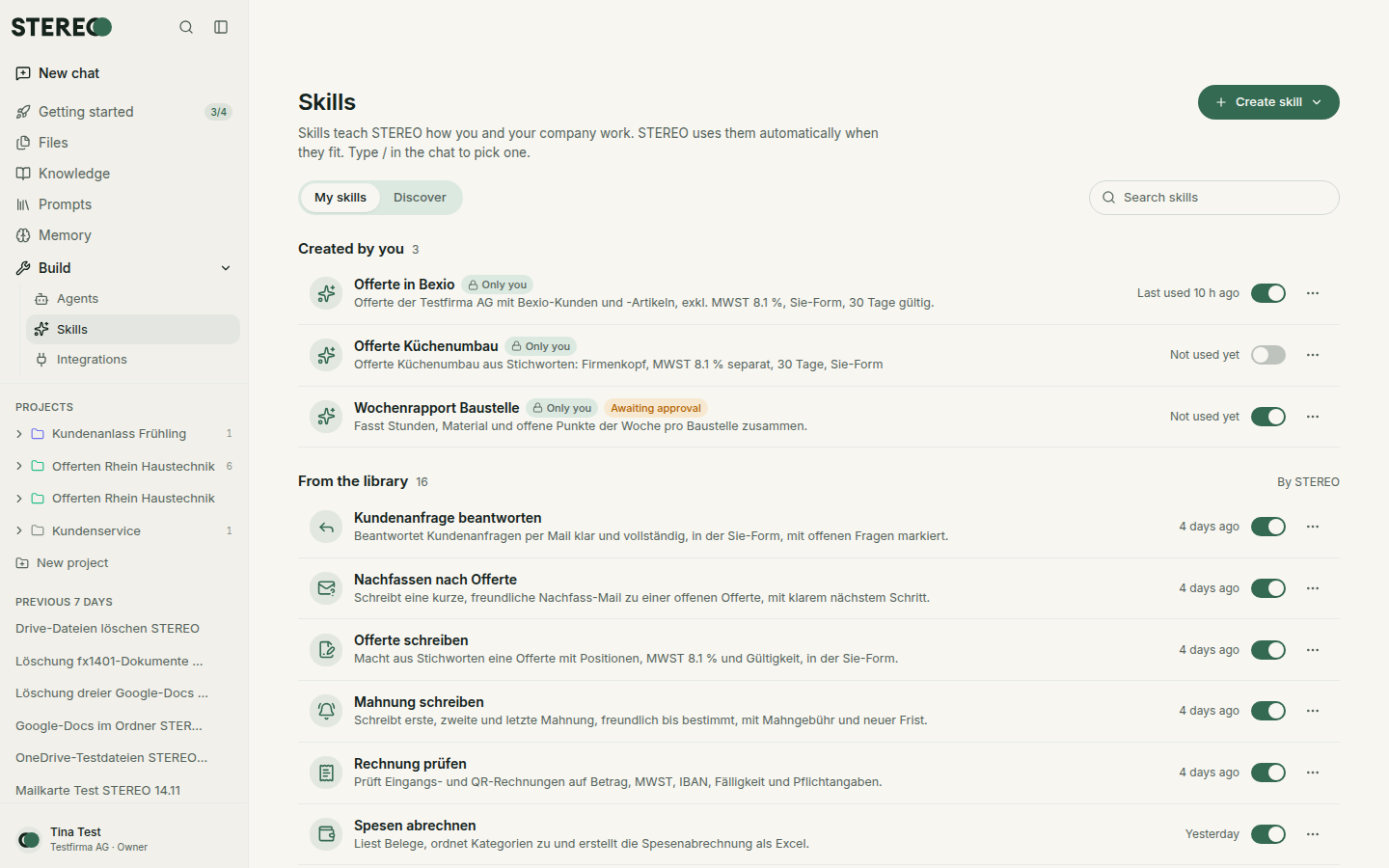
A skill is an instruction for a recurring task, for example "Write quotes in our company style" or "Check expenses against our policy". STEREO uses skills automatically when they fit the question.
Use skills in the chat
- Automatically: when a skill is switched on, STEREO uses it whenever it fits.
- On purpose: type / or @ in the input field and pick the skill.
Find and switch on skills
In the sidebar under Build, open Skills.
- Discover: templates from STEREO. Add takes over a template. STEREO offers to adapt it to your company.
- My skills: your own skills, the company's skills and the templates you added. The switch turns a skill on or off for you.
Company skills that your admins marked as Required are always active.
Create a skill
Click Create skill and choose a way:
- Create with STEREO: describe in the chat what the skill should do. STEREO writes it and tests it with you.
- Write it yourself: name, description and instructions in the editor.
- Upload: a SKILL.md or .zip file, also from Claude or ChatGPT.
A skill's page shows Overview, Instructions, Test cases and History with all versions. You can also change it with Edit in chat.
Share with the company
A new skill is only for you at first. Share with the company sends it to the admins for review. Once they approve it, everyone in the company sees it. Later changes apply only to you at first and need a new approval.
What a skill may do
A skill is an instruction, not a permission. If it uses connected integrations, the usual rules apply: changes and sending ask first, see Approvals.
For admins
Under Settings › Skills you switch skills on or off for the company, decide who may create skills and review skills submitted for approval.
Was this helpful?