Agents
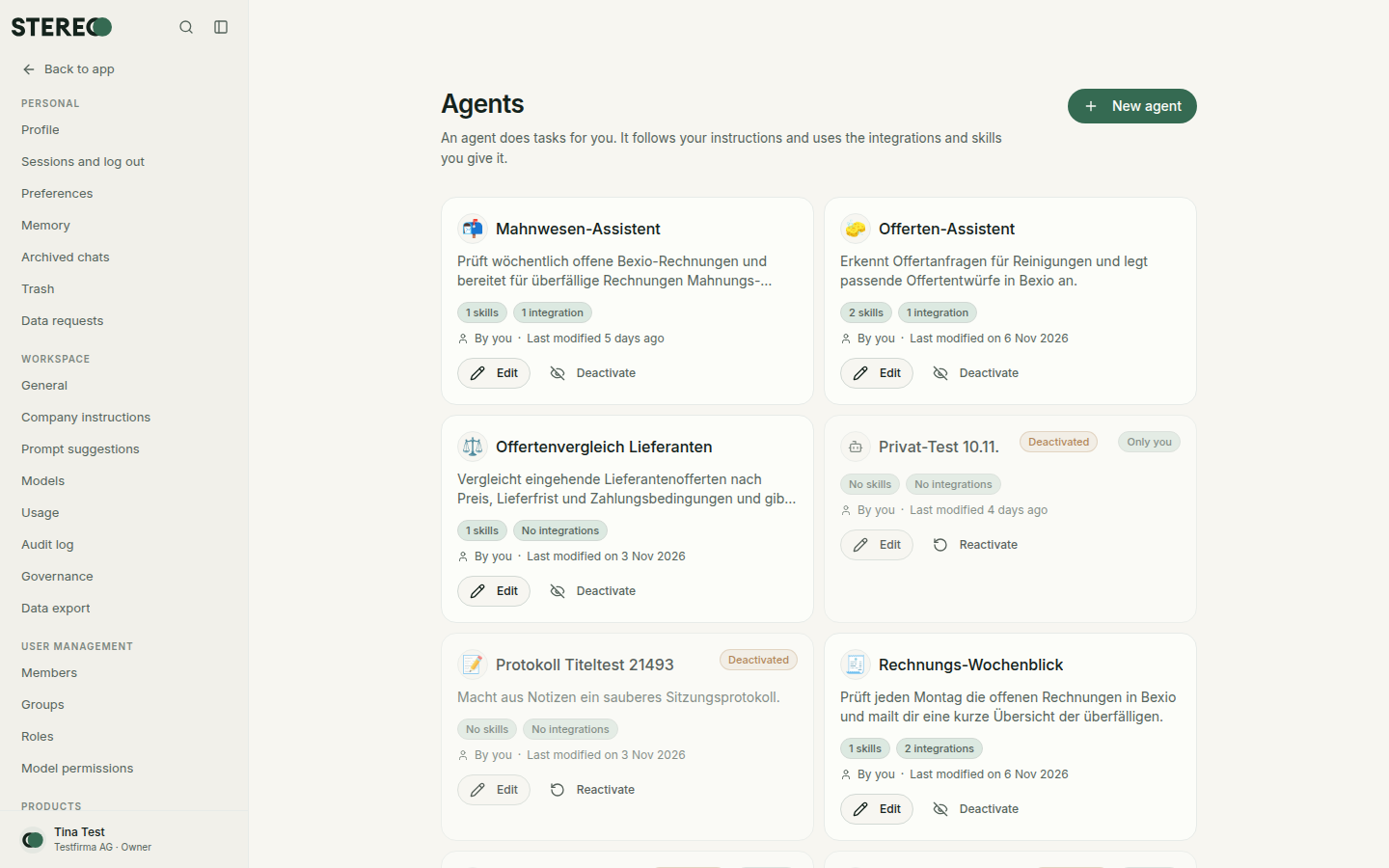
Create your own agents with fixed instructions, skills and integrations, and use them in the chat.
An agent does tasks for you. It follows fixed instructions and uses the integrations and skills you give it, for example a "Quote helper" with access to Bexio.
Use an agent in the chat
Type @ in the input field and pick the agent. The chat then runs with its instructions and capabilities. Remove agent lets you continue without it.
Create an agent
- In the sidebar under Build, open Agents and click New agent.
- Optional: Start from a template. Everything can be changed afterwards.
- Enter Name and Description, choose the Intended purpose and write the Instructions, for example "You write quotes for our fiduciary office, always with 30 days payment terms."
- Choose the Model and the Capabilities: which skills, integrations and knowledge collections the agent may use. Only give it what it really needs.
- Check the agent in the Test run and click Save.
On the right, the Assistant helps you: tell it what the agent should do and it fills in the configuration. You review and adjust.
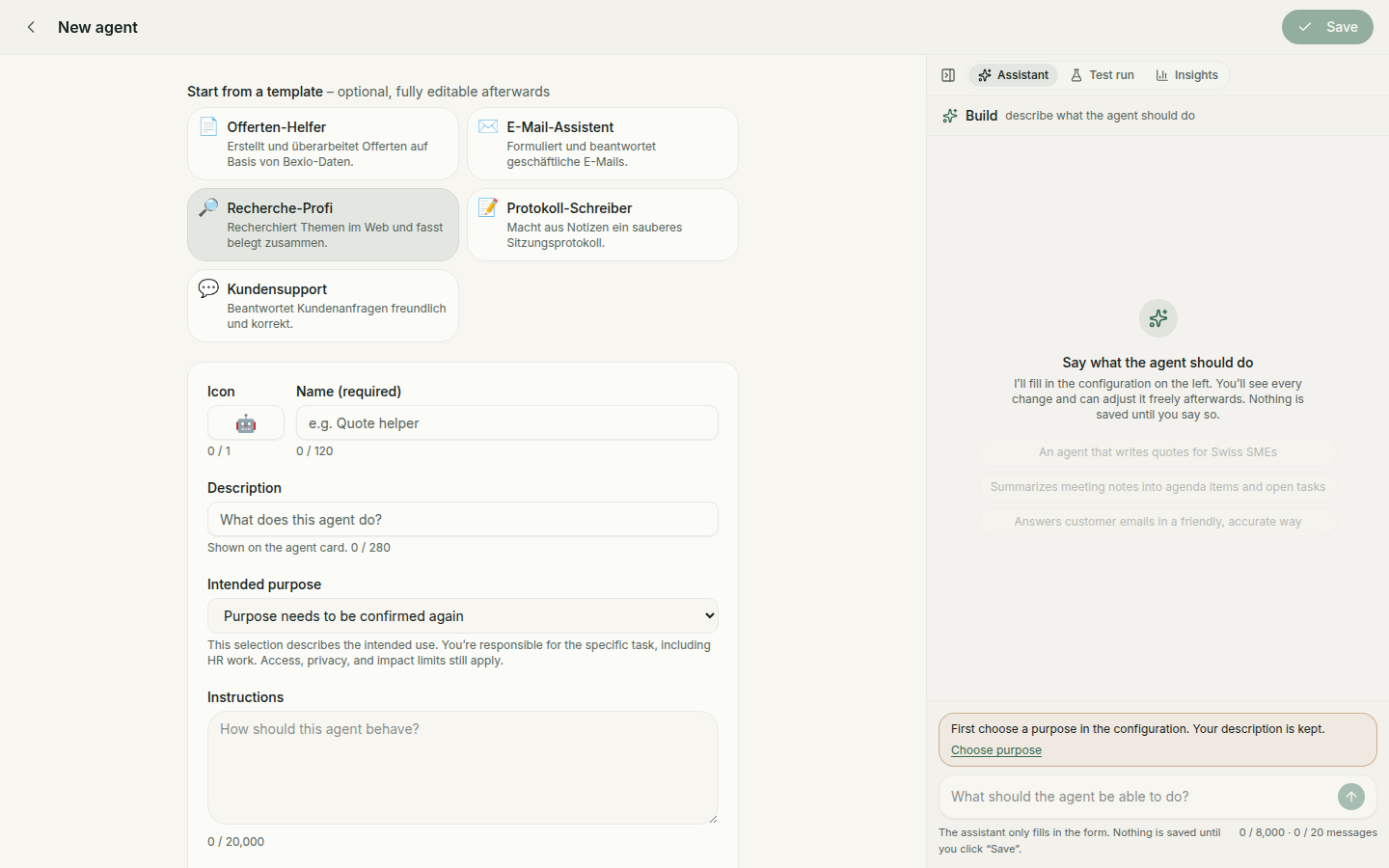
The Test run shows what the agent would do. Actions that need approval are not carried out in the test run.
Every saved change is kept under Versions. Bring back an earlier version with Restore.
What an agent may do
An agent can never do more than you can. It uses your connections, and the same rules apply: changes and sending ask first, see Approvals. Its memory is your memory, it has no hidden storage of its own.
Manage agents
Use an agent's card to edit it or switch it off with Deactivate. Existing chats are kept. Admins can Change owner, for example when someone leaves the company.
Who may create and edit agents is listed under Settings › Roles.
Was this helpful?