Getting started
Sign in with a link or code, get to know your workspace and invite your team.
Get access
During the beta, STEREO is available by invitation only. There is no self sign-up.
- Your company already uses STEREO: a person with admin rights invites you. The invitation arrives by email and is valid for 7 days.
- Your company is new: the STEREO team sets up the workspace and invites the owner. Write to hy@hyhy.ch.
Sign in with a link or code
STEREO needs no password. You receive a sign-in link and a 6-digit code by email. Either one is enough.
- Open app.stereo.work.
- Enter your email address and click Get link and code.
- Click the link in the email. Or type the code on the sign-in page under Enter code and click Log in.
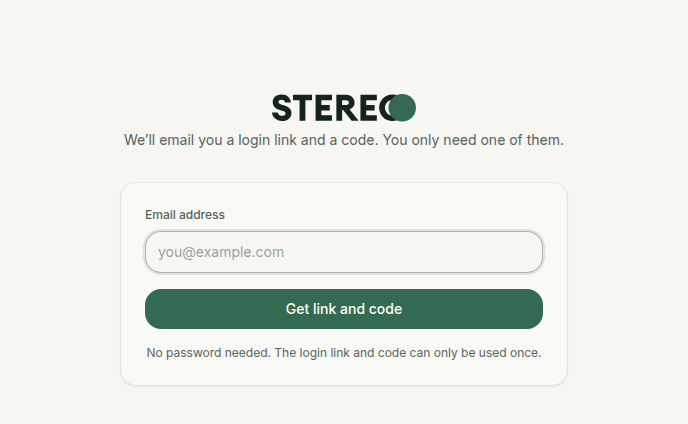
Link and code are valid for 30 minutes and work only once. After 5 wrong attempts the code is locked. Then simply click Get a new link and code.
STEREO as an app on your phone
If STEREO is on your home screen, your phone opens the link from the email in the browser, not in the app. Use the code in the app instead.
No email?
Check your spam folder and make sure you entered exactly the address the invitation was sent to. Without an invitation, STEREO does not send a sign-in link.
The interface
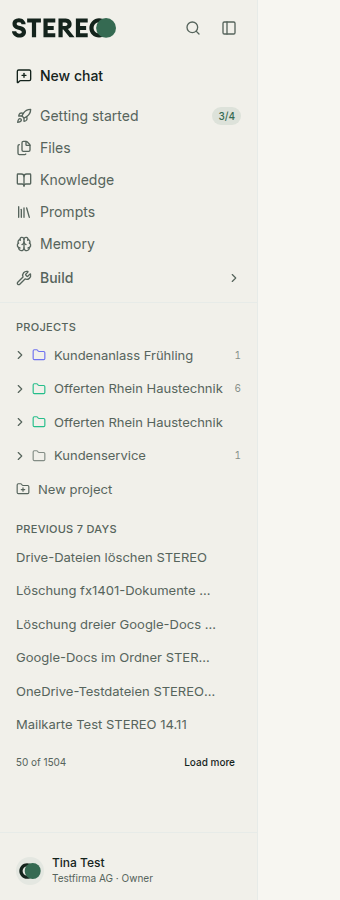
- New chat at the top left starts a new conversation.
- Getting started shows small tasks that help you get to know STEREO. Each step is a real action.
- Files, Knowledge, Prompts and Memory hold your documents, templates and what STEREO remembers.
- Under Build you find Integrations, see Integrations.
- Below are your Projects and your chat history.
- At the bottom left, your name opens the user menu: Settings, Usage, Appearance, Give feedback and Log out.
Press ⌘K (Windows: Ctrl+K) to search your chats and jump to any page.
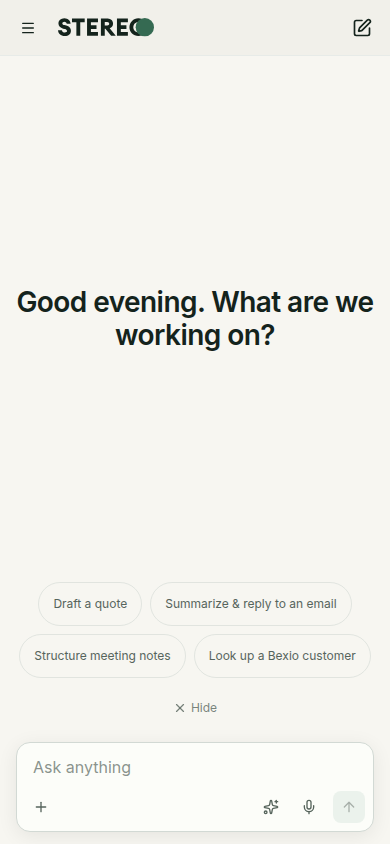
On your phone, open the sidebar with the menu at the top left.
Workspace
Every company has its own workspace in STEREO. Chats, files and connections belong to that workspace. If you are invited to several companies, switch in the user menu with Switch workspace.
Invite your team
If you are an owner or admin, invite your team yourself:
- Open Settings › Members.
- Click Invite and enter one or more email addresses, separated by commas or line breaks.
- Choose the Role and send the invitation.
More under Administration.
Install STEREO as an app
STEREO runs in the browser. You can add it to your home screen like an app:
- Computer (Chrome, Edge): click the install icon in the address bar.
- iPhone and iPad (Safari): tap Share, then Add to Home Screen.
Next
Start with Chat. If you are an admin, also read Administration.
Was this helpful?