Files, Excel, Word and PDF
Attach and analyse files, have Word, Excel and PDF files created.
Attach files
Drag files into the input field or click the +:
- Upload files: pick a file from your computer or phone.
- From Library: a file that is already under Files in STEREO.
- Integrations: files from a connected tool, for example Google Drive, see Integrations.
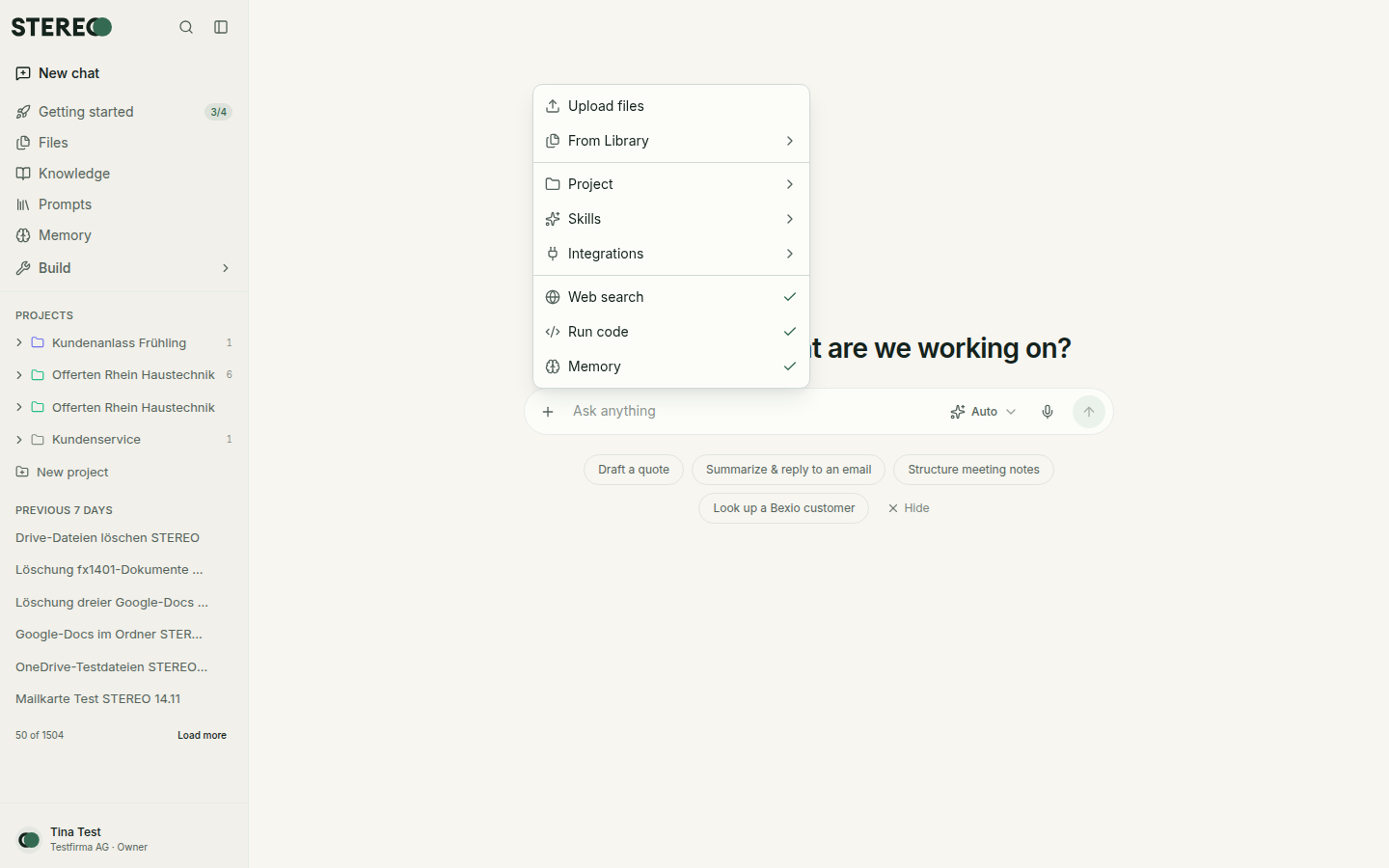
Supported are PDF, Word, Excel, CSV, text, Markdown, JSON and images (JPEG, PNG, GIF, WebP). A file can be up to 15 MB, and a message can have up to 20 attachments. Every file is checked for viruses before it is stored. For photos, STEREO removes location and camera data.
Analyse tables
When you attach an Excel or CSV file, STEREO calculates instead of guessing: it sums, filters, compares and builds overviews. Ask for example:
- "Which three customers had the highest revenue in October?"
- "Make a pivot of this list by month and cost centre."
If values contradict each other, for example two prices for the same item, STEREO asks before it calculates.
Have Word, Excel and PDF files created
Just say what you need, for example "Create a quote as a Word document" or "Turn this into an Excel sheet with formulas". STEREO creates the file and shows it right in the chat.
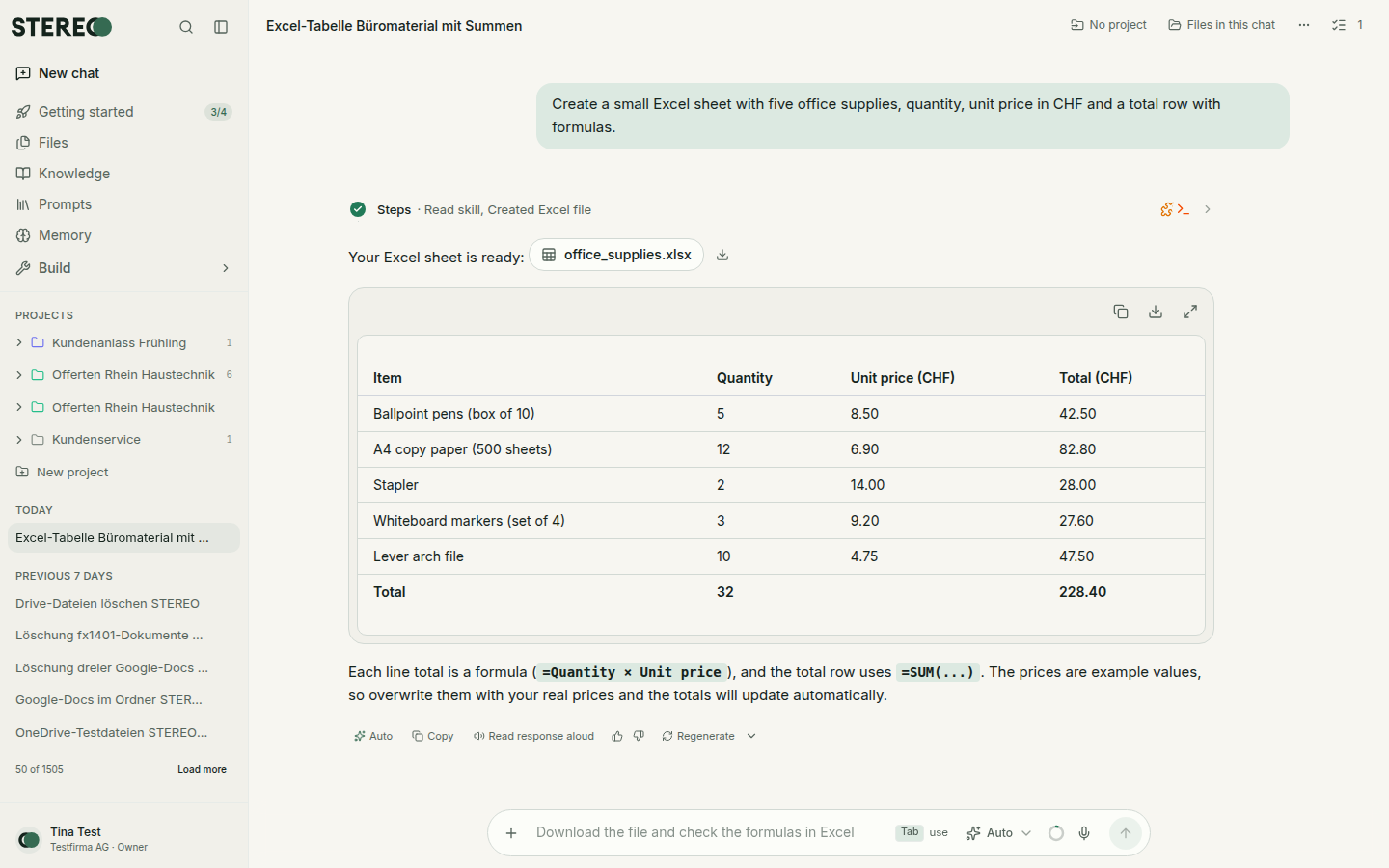
- View and download: click the file.
- Keep editing: say in the same chat what to change, for example "Add a VAT column". STEREO creates a new version.
- Versions: the version history shows earlier versions and lets you restore them.
Files and Knowledge in the sidebar
- Files: your central storage with everything you uploaded or created. Organise it in folders and add files to a chat with one click.
- Knowledge: collections of documents, for example policies or price lists. STEREO searches them and names the files its answer is based on.
For documents that belong to one topic only, a project is the better place.
Was this helpful?